Dewinter - Cast Iron Microstructure analysis
Cast Iron Microstructure analysis
Metallurgical Image analysis software
Technical Specifications
A software based on a touchscreen concept, Foundry Plus is the most comprehensive solution for cast iron industries. The software is used to estimate nodules, flake size and the class and number from 1 to 8 as per ASTM, JIS and ISO standards. Furthermore, the software includes various templates for reporting.
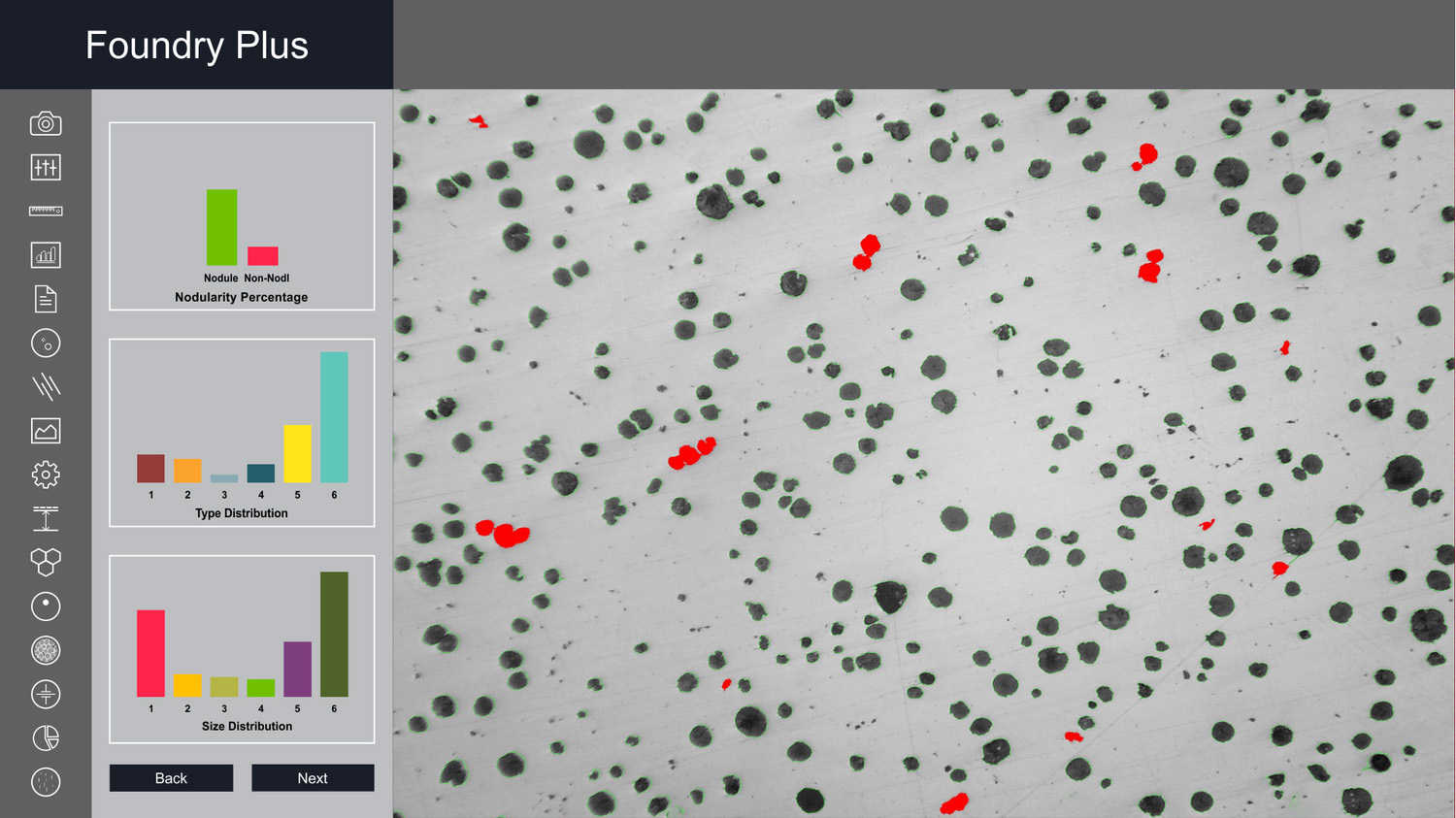
A software based on a touchscreen concept, Foundry Plus is the most comprehensive solution for cast iron industries. The software is used to estimate nodules, flake size and the class and number from 1 to 8 as per ASTM, JIS and ISO standards. Furthermore, the software includes various templates for reporting.
-
Option to get analysis report based on ASTM 247-67 or ISO 945_1 standards.
-
Nodules touching boundaries are excluded in analysis.
-
Artefacts less than 10 microns are excluded in analysis.
-
Nodules are separated from non-nodules on predefined spheroidicity.
-
The nodules/flakes form (designated by roman numbers I to VI) and size (designated by Arabic numbers 1 to 8) are reported.
-
The flake occurring in cast iron in the form I, are reported on the basis of type of distribution (designated by capital letters A to E) and on the basis of orientation.
-
The percentage of pearlite is calculated by excluding the graphite area.
-
The matrix of pearlite, ferrite, graphite and carbide are reported in etched sample.
-
Report is generated with specific international standards chosen by the user.
-
F% is reported in JIS method.
Image Editing
-
Cut, Copy, and Paste.
-
Selected copy by free hand AOL controlled by four arrow keys available on keyboard or mouse with zoom preview.
-
Crop, duplicate, restore
-
Resize
-
Compression
-
Conversion to another format such as BMP, JPG, TIF, PNG, GIF & PSD
-
Flood fill or spray with selected color at selected portion.
-
Grid creation; 5X5, 10X10 & 100X100 grids (or cells).
-
Drawing tool curve, line, square, and circle with node control and provision to change color & thickness of the line.
-
Write text in any color or font.
-
Pointer to place on an object in either of four directions with provision to change its color & thickness.
-
Eraser works only on line, arrow or on any drawing tool.(not on original image)
-
Camera Lucida
-
Montage feature to merge stored image together. Useful to Merge different focuses of same image.
-
Image stitching.
-
Highlighter.
-
Pixel by Pixel Correction by key board.
-
Multiple image folder with Search facility.
-
Filter application on selected area.
Edge Detection
-
Laplacing, Sobel, Krisch, Prewitt Gradient, Shift & Difference, Combine, Contrast Base, Quick, Range and Variance.
Morphometry
-
Skeletonizing, Pruning, SKIZ, Histogram Equalization, Histogram Smoothing, Histogram Peak, Histogram Valley, Segmentation by Over/Under and Quantized, Contoring, Dilation / Erosion on Binary, Gray & colored Images, Opening/ Closing on Gray & Binary Images, Special Opening/Closing, Split/Combine of RGB, YUV, YIQ, XYZ, & HSL, Changing any Image to 1, 4, 8 & 24 bits, Medial Axis.
-
Transformation, Halftone.
-
Image Addition, Image Average, Image Subtraction, Image Multiplication.
-
Roundness, Shape, Orientation, Elongation, Equal Circular Diameter, Equal Sphere Volume.
Cast Iron Analysis
-
The dedicated module determines flake size from 1 to 8 as per ASTM, JIS, and BIS & ISO standards. The type distribution percentage A, B, C, D, E is calculated interactive tools.
-
Flakes per square mm is also calculated simultaneously.
-
Percentage of pearlite, ferrite, graphite and carbide is calculated from Etched sample automatically with predefined values.


Standar Nilai
Tim kami berupaya membuat nilai tambah untuk proses manufaktur dan riset pelanggan kami. Melalui produk dan solusi teknis, kami mencari cara agar dapat memecahkan masalah berbagai aplikasi.